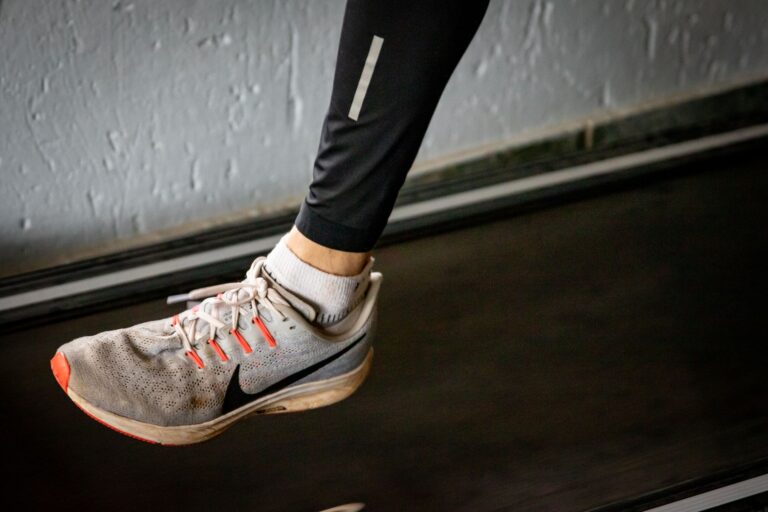
A smartwatch or fitness tracker can help you follow the CDC Adult Activity Guidelines by automatically logging your aerobic exercise in real time, counting steps, measuring heart rate zones, and tracking weekly totals against the 150-minute benchmark for moderate-intensity activity. The most practical approach is to sync your watch with its companion app, set weekly activity goals that match the CDC recommendations, and review your progress at the end of each week—most modern watches (Apple Watch, Garmin, Fitbit, and others) have built-in summaries that show whether you’ve hit your targets. For example, if you run three times a week for 40 minutes each, your watch will automatically log roughly 120 minutes of moderate-intensity activity and move you close to the 150-minute weekly target, with the remaining minutes coming from daily walks or less structured movement.
Beyond simply wearing a watch, you’ll need to understand how your specific device interprets intensity levels, since the CDC guidelines hinge on distinguishing moderate from vigorous activity—and not all watches define these zones the same way. The watch works best as a guide and accountability tool rather than a perfect scientific instrument. Many runners find that a watch makes the guidelines feel concrete and achievable, transforming an abstract recommendation into a visible weekly target.
Table of Contents
- What Do the CDC Adult Activity Guidelines Actually Say, and How Does a Watch Track Them?
- Choosing the Right Watch: Features That Matter for Tracking CDC Guidelines
- Setting Up Your Watch Goals and Weekly Targets
- How to Accurately Log Different Types of Activities on Your Watch
- Common Pitfalls: When Your Watch Might Be Over- or Under-Counting
- Combining Your Watch Data With Manual Tracking for Complete CDC Compliance
- Looking Ahead—What’s Next in Fitness Tracking and CDC Guideline Compliance
- Conclusion
What Do the CDC Adult Activity Guidelines Actually Say, and How Does a Watch Track Them?
The cdc recommends that adults get at least 150 minutes of moderate-intensity aerobic activity (or 75 minutes of vigorous-intensity activity) per week, spread across multiple days, plus muscle-strengthening activities two or more days per week. Moderate intensity means you’re working hard enough that you can talk but not sing during the activity—this typically corresponds to a heart rate around 50–70% of your maximum. Vigorous intensity is harder: you can only say a few words without pausing for breath, and your heart rate climbs to 70–85% of maximum. A smartwatch measures intensity primarily through heart rate and, in some cases, accelerometer data (movement patterns), so it can reasonably estimate whether you’re in the moderate or vigorous zone during running, cycling, or other activities.
The watch becomes useful once you set it to track these zones automatically. When you start a running workout, the watch records your heart rate throughout, calculates your average intensity, and logs the minutes accordingly. For example, a 30-minute morning run at a conversational pace might register as 28 minutes of moderate-intensity activity, while a 20-minute tempo run might count as 18 minutes of vigorous activity. The cumulative weekly total appears in your watch’s activity dashboard, allowing you to see whether you’re on pace to meet the 150-minute guideline by Sunday. One limitation is that the watch may not capture all activities perfectly—a strength-training session in your home gym might not register as well as outdoor running, and the algorithm’s accuracy varies by brand and model.

Choosing the Right Watch: Features That Matter for Tracking CDC Guidelines
Not all fitness watches are equally equipped to track the CDC guidelines effectively. Apple Watch and Garmin watches offer robust heart-rate monitoring and automatic intensity classification, while some basic fitness trackers may only count steps or provide rough activity estimates. The key features to look for are continuous heart-rate monitoring (optical sensor), the ability to set up custom activity profiles for your preferred sports, and a companion app that displays weekly summaries in a clear format—ideally showing minutes of moderate activity, vigorous activity, and daily step counts side by side. A major limitation to keep in mind is that watches relying solely on steps may underestimate the CDC guidelines you’re meeting.
A watch that logs 10,000 steps in a day doesn’t automatically tell you whether those steps constituted moderate-intensity activity; you need heart-rate data to confirm. Additionally, different watch brands use proprietary algorithms to classify intensity, so a 40-minute run logged as 38 minutes moderate on one watch might appear as 35 minutes on another. Budget watches under $100 often lack optical heart-rate sensors, forcing them to rely on movement patterns alone, which is less accurate for runners. Mid-range watches ($150–300) from brands like Garmin and Fitbit offer solid heart-rate monitoring, while premium options like Apple Watch add features such as ECG, blood oxygen, and advanced workout coaching that go beyond basic guideline compliance.
Setting Up Your Watch Goals and Weekly Targets
Once you’ve chosen your watch, the next practical step is to configure it with your personal CDC activity goals. Most watches let you set a weekly activity goal in minutes—start by entering 150 minutes if you’re aiming for moderate-intensity activity, or adjust downward if you plan to mix in some vigorous sessions (since 75 minutes of vigorous-intensity activity counts the same as 150 minutes of moderate). The watch will then display a progress ring or bar that fills as you accumulate activity throughout the week. For runners, the strategy is often to plan three to four runs per week, estimate the duration of each, and ensure the total adds up to at least 150 minutes.
For instance, if you can commit to three 45-minute runs and two 20-minute walks, you’ll log roughly 175 minutes of moderate activity, exceeding the guideline comfortably. The watch becomes a visual accountability tool when you review your progress daily. Seeing the activity ring 60% complete by Wednesday afternoon creates a mental reminder to fit in a run or a longer walk before the week ends. Many people find this visualization motivating, especially when the watch also sends notifications like “You’re on pace to meet your goal” or “You’ve earned a new activity badge.” A practical example: a busy professional who works a desk job might hit the watch’s daily 30-minute target by combining a 25-minute lunch run and a 10-minute evening walk, rather than trying to complete one long session. However, be cautious about chasing the ring obsessively—if meeting the weekly target starts causing injury from overtraining, the watch has become a hindrance rather than a health tool.

How to Accurately Log Different Types of Activities on Your Watch
The accuracy of your CDC guideline tracking depends partly on how you log activities. When you start a workout on your watch, it matters which activity type you select—”running,” “walking,” “cycling,” or “elliptical” will be classified differently. Running at a given pace will accumulate intensity faster than walking at the same pace, so the watch can automatically sort it into the appropriate category. Most watches also recognize workouts automatically if you have auto-detect enabled; the device learns your movement patterns and begins recording when it senses you’ve started exercising. For structured training, manually starting a workout gives you the best control and accuracy.
One comparison worth considering: manual logging versus automatic detection. Manual logging lets you name and categorize the workout exactly as you want, which is useful for non-standard activities like recreational sports or gym sessions. Automatic detection is convenient but sometimes less precise—a slow run might be logged as a brisk walk, or a stationary cycling session might not be recognized at all if your watch isn’t set up to expect it. Many runners use a hybrid approach: they manually start a running workout to ensure it’s logged correctly, but they let the watch detect and log casual daily movement and walking automatically. A limitation of most watches is that they don’t directly measure muscle-strengthening activity (the second component of the CDC guidelines), so you may need to log gym sessions or home strength workouts manually, and some watches won’t classify them as “active” in the same way they do aerobic activity.
Common Pitfalls: When Your Watch Might Be Over- or Under-Counting
A frequent surprise for new watch users is discovering that their watch counts intensity differently than they expected. Someone might believe they’ve been running at a vigorous pace for 30 minutes, only to find that the watch logged 25 minutes of moderate activity and 5 minutes of vigorous. This discrepancy arises because the watch uses heart-rate zones based on estimated maximum heart rate, which can be inaccurate if the algorithm doesn’t know your true fitness level. A warning: if you’re on certain medications, have a known heart condition, or are significantly younger or older than the average adult, the watch’s default heart-rate calculations may be off, and you should consider manually adjusting your zones in the app settings or consulting a doctor about what intensity level is appropriate for you.
Another pitfall is that watches can be fooled by incidental movement. If you’re doing chores or fidgeting at your desk, some watches might briefly register elevated heart rate and count it as low-intensity activity, inflating your weekly minutes. Conversely, water-based activities like swimming may not be tracked accurately by watches that aren’t specifically waterproof or designed for pool workouts, since water contact can interfere with optical sensors. The safest approach is to review your watch’s activity history once a week and ask yourself, “Does this match what I actually did?” If you notice regular discrepancies, take a harder look at your watch’s settings or consider recalibrating its personal metrics (height, weight, fitness level) to improve accuracy.

Combining Your Watch Data With Manual Tracking for Complete CDC Compliance
While your watch excels at logging aerobic activity, it often falls short for muscle-strengthening workouts, which the CDC guidelines also require (two or more days per week). Many watches don’t automatically recognize strength training as a distinct activity category unless you manually log it. A practical approach is to use your watch for aerobic tracking and maintain a simple log of strength sessions—either on paper, in a notes app, or in your watch’s manual activity log. For example, if you do a 30-minute weight-lifting session on Monday and Thursday, manually enter these as “strength training” on your watch, even if the device won’t calculate heart-rate-based intensity.
This way, your complete activity picture—aerobic plus strength—stays transparent and aligned with CDC guidelines. Some of the newer smartwatches are beginning to include strength-training workouts with rep counting and form coaching, which better supports complete guideline compliance. However, the vast majority of runners rely primarily on their watch for step and run tracking, then manually track or estimate strength work separately. An example: a runner might see that their watch shows 160 minutes of aerobic activity for the week, then cross-check a notebook to confirm that they completed strength exercises on two days, thus meeting both CDC requirements. Taking five minutes each week to review both pieces of data ensures you’re getting a full picture of your activity level.
Looking Ahead—What’s Next in Fitness Tracking and CDC Guideline Compliance
Smartwatch technology continues to evolve in ways that could make CDC guideline tracking even more seamless. Future watches will likely include better sensors for non-aerobic activity (strength training, flexibility work, balance exercises) and more sophisticated algorithms that account for individual fitness variations without requiring manual calibration. Some companies are exploring continuous blood glucose monitors and muscle-strain sensors that could provide a more holistic view of physical wellness.
For now, the watch remains a practical tool for most people following the CDC’s aerobic recommendations, but it’s best paired with basic awareness of your body and a willingness to override the device if something feels off. The broader takeaway is that technology should serve your health goals, not the other way around. A watch that keeps you accountable for 150 minutes of weekly activity is valuable; a watch that creates anxiety or drives unsafe overtraining is a distraction. As you use your watch to follow the CDC guidelines, think of it as one piece of a larger fitness picture that also includes how you feel, your injury history, and your access to different types of activity.
Conclusion
Following the CDC Adult Activity Guidelines with a smartwatch is straightforward: wear the device, start your workouts manually or let it auto-detect, and review your weekly progress against the 150-minute moderate-intensity target. The watch transforms an abstract health recommendation into a concrete, visible goal, and most modern devices from reputable manufacturers provide accurate enough tracking to keep you accountable.
The key is choosing a watch with continuous heart-rate monitoring, setting it up correctly with realistic weekly targets, and checking your progress regularly to stay on course. To get started, select a watch that fits your budget and lifestyle, configure your activity zones in the companion app, and plan your week with a rough estimate of how many minutes of running, walking, or other aerobic activity you can realistically complete. Then let the watch do its job—log your activity, fill your progress ring, and build the habit of consistent movement that keeps you healthy.