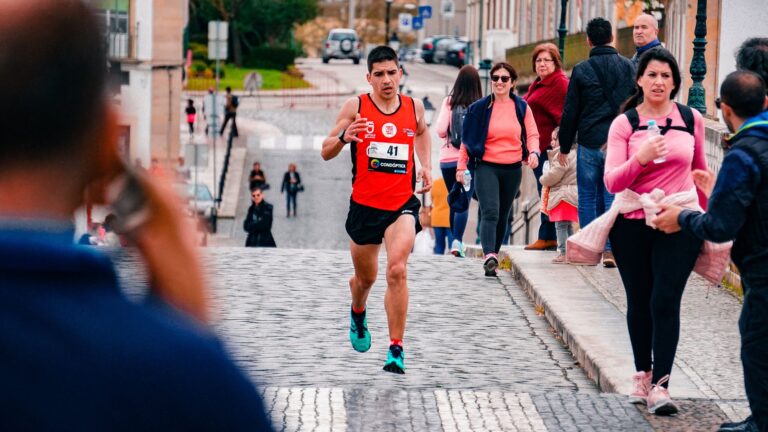
The Apple Watch measures exercise minutes using a combination of your heart rate data and motion sensors to track when you’re exercising at an elevated intensity level. Specifically, the watch counts a minute toward your daily exercise ring when your heart rate reaches at least 50 percent of your maximum heart rate for sustained periods, or when the watch detects the type of movement patterns associated with different activities. This means a 30-minute run where you maintain an elevated heart rate might result in all 30 minutes counting toward your exercise goal, but a casual walk at a slower pace would likely count zero minutes, even though you’re moving.
The system is more sophisticated than simple step counting because it factors in your personal fitness level through your resting heart rate data, which Apple Watch continuously records. If you’re a trained runner with a low resting heart rate of 50 beats per minute, the watch calculates your target exercise intensity differently than someone with a resting heart rate of 70. This personalization is why two people doing the same activity might get different exercise minute credit—the same pace that elevates one person’s heart rate significantly might not trigger the threshold for someone else.
Table of Contents
- What Heart Rate Threshold Does Apple Watch Use for Exercise Credit?
- How Apple Watch Detects Different Activity Types and Their Varying Intensity Requirements
- The Role of Motion and Movement Patterns in Exercise Minute Calculation
- How to Maximize Accurate Exercise Minute Tracking on Your Apple Watch
- Why Your Apple Watch Exercise Minutes Don’t Always Match Other Metrics
- Understanding Apple Watch Exercise Rings Across Different Seasons and Fitness Levels
- The Future of Apple Watch Exercise Tracking and Fitness Intelligence
- Conclusion
- Frequently Asked Questions
What Heart Rate Threshold Does Apple Watch Use for Exercise Credit?
The 50 percent maximum heart rate threshold is the foundation of apple Watch’s exercise minute calculation, but understanding your max heart rate is critical. Apple Watch estimates your maximum heart rate using a standard formula (206.9 minus your age, or variations depending on your Apple Watch model generation), though this is just an estimate and can vary significantly from your actual maximum. For a 40-year-old, this formula typically suggests a max heart rate around 167 beats per minute, meaning exercise intensity needs to reach approximately 84 beats per minute to start counting. A moderate jog might easily surpass this, but a slow walk almost certainly won’t, which is why walking is notoriously difficult to register as exercise time on Apple Watch.
The watch also uses VO2 max data when available, which refines these calculations. If you’ve completed enough tracked workouts, Apple Watch learns your actual fitness metrics and can adjust intensity thresholds accordingly. This is why your exercise minute credits might improve over time as you get fitter—the same absolute pace might represent a lower percentage of your max heart rate after months of training, making it easier to hit the intensity threshold. However, this system has a notable downside: Apple Watch can undercount exercise time for very fit individuals and overcount for those deconditioned, since the formulas don’t perfectly match real-world physiology.
How Apple Watch Detects Different Activity Types and Their Varying Intensity Requirements
Beyond heart rate, Apple Watch uses motion sensors including accelerometers and gyroscopes to identify specific activities like running, cycling, swimming, or elliptical training. each activity type has slightly different requirements for what counts as exercise intensity. Running and cycling typically require more sustained heart rate elevation than swimming, partly because the watch accounts for the cooling effect of water and the fact that swimming motion patterns look different to the accelerometer. When you start a specific workout on your Apple Watch and the watch recognizes the activity, it becomes more lenient with what counts as exercise intensity for that specific activity type.
One limitation many runners discover is that Apple Watch sometimes misclassifies activities. A treadmill run might be counted under outdoor running intensity standards, affecting your exercise minute credit. Likewise, if you forget to start a formal workout and run while just wearing the watch casually, your heart rate is elevated but the watch might not register high-intensity movement properly because it’s not explicitly tracking an activity. This has caught many users off guard—they run hard but get zero exercise minutes because the watch wasn’t in workout mode and the motion pattern didn’t clearly register as running.
The Role of Motion and Movement Patterns in Exercise Minute Calculation
While heart rate is the primary driver, the watch’s accelerometer and gyroscope create a secondary verification system. The watch can recognize that you‘re moving in patterns consistent with running, cycling, or other activities, and this helps confirm that your elevated heart rate is actually from exercise rather than from anxiety or another cause. This dual-sensor approach prevents false positives—if your heart rate spikes from stress but you’re sitting still, the watch won’t credit it as exercise. Conversely, if you’re exercising in a way the watch can’t detect (like rowing, where the motion is repetitive but might not match the expected pattern), your exercise minutes might be undercounted despite genuine exertion.
Elite runners sometimes report that very high-speed running doesn’t register properly because the watch can’t keep up with the motion pattern detection, though this is relatively rare. A more common scenario is elliptical machine training, which looks similar to running motion but isn’t quite the same, so Apple Watch sometimes awards inconsistent exercise credit depending on your arm position and movement mechanics. If you keep your arms still on the handles, the watch detects less motion. If you swing your arms, it detects more—same intensity, different results.

How to Maximize Accurate Exercise Minute Tracking on Your Apple Watch
Starting an explicit workout on your Apple Watch is the most reliable way to ensure your exercise minutes are counted accurately. When you begin a recorded workout, the watch enters a mode where it’s specifically watching for the activity you’ve selected, and it applies that activity’s thresholds rather than trying to guess what you’re doing. For runners, this means tapping “Outdoor Run” or “Indoor Run” before you start, which automatically ensures the watch applies running-specific intensity calculations. The difference can be significant—a slow run might get zero minutes without a formal workout started, but five to ten minutes credit when the workout is explicitly tracked.
However, relying on formal workouts every single time creates a practical tradeoff. If you’re someone who frequently does unplanned or casual exercise, you miss out on credit for legitimate physical activity. Many runners find themselves choosing between the hassle of starting the watch every time versus the frustration of workouts not being recorded. Some users address this by going back and manually adding exercise in the Health app after the fact, which allows you to log activity retroactively with whatever duration you want. The Apple Watch won’t contribute data to this manual entry, but your rings will still close.
Why Your Apple Watch Exercise Minutes Don’t Always Match Other Metrics
GPS distance and exercise minutes are measured on completely different systems, which creates common confusion. A three-mile run might generate 30 GPS miles of distance data but only 20 minutes of exercise credit if your pace dropped near the end. Conversely, you might get 30 minutes of exercise credit but only cover 2.8 miles if you ran uphill or into heavy wind. The watch prioritizes effort intensity (heart rate) over distance or speed, which makes physiological sense but can feel wrong if you’re accustomed to traditional running metrics.
A five-mile run at a very slow pace might count less exercise time than a three-mile hard effort at tempo pace, because the hard effort elevated your heart rate higher and longer. A significant limitation appears when wearing the Apple Watch incorrectly or loosely. Heart rate readings become unreliable when the watch sits too loosely on your wrist, especially if you swing your arms a lot during running. A watch that’s too loose might consistently underestimate your heart rate, meaning your actual exertion is higher than the watch thinks, and you get fewer exercise minutes than you should. Some runners discover this only after comparing their Apple Watch data to chest strap heart rate monitors during the same workouts—the numbers can differ by 10 to 20 beats per minute, which is substantial enough to affect exercise minute calculations.

Understanding Apple Watch Exercise Rings Across Different Seasons and Fitness Levels
The 30-minute daily exercise goal in the default Apple Watch setup is the same for everyone, but what it takes to achieve it varies dramatically based on your fitness level and running speed. A beginner runner maintaining a 12-minute-mile pace might need to run 35-40 minutes to accumulate 30 minutes of exercise time. An advanced runner maintaining a 7-minute-mile pace might hit the 30-minute goal in roughly 30 actual running minutes. This creates an interesting asymmetry where faster runners have an easier time closing their exercise rings, even though they’re not necessarily doing more total work.
If you change your running pace significantly due to injury, weather, or training phases, your exercise minute patterns will change noticeably. Seasonal variation also affects consistency. Winter runs in cold weather often show lower exercise minutes because cold-induced vasoconstriction can make heart rate readings less responsive to exertion. Summer runs at higher temperatures might show higher exercise minutes for the same effort because your cardiovascular system has to work harder to cool your body. A 6-mile run in 60-degree weather might yield 35 exercise minutes, while the same 6-mile run in 85-degree weather might yield 40 minutes, even though the running pace was identical.
The Future of Apple Watch Exercise Tracking and Fitness Intelligence
Apple continues refining how the watch interprets exercise, with recent updates incorporating machine learning to better recognize individual fitness patterns. The watch can now distinguish between someone’s baseline movement and actual exercise more accurately by learning your personal patterns over months of use. As artificial intelligence improves, Apple Watch exercise tracking will likely become more personalized and less reliant on broad population formulas for maximum heart rate.
The watch will better understand your unique physiology and adjust expectations accordingly. Meanwhile, the fitness tracking world is moving toward more nuanced metrics beyond simple exercise minutes. Power output, training load, and heart rate variability are becoming more common on advanced running watches, though Apple Watch remains focused on the broader health audience with simpler metrics. For serious runners, Apple Watch exercise minutes serve as a useful general indicator but shouldn’t be the only metric you track—combining it with pace data, distance, and how you actually felt during the run creates a more complete picture of your training.
Conclusion
Apple Watch measures exercise minutes by combining your heart rate data with motion sensors to detect when you’re exercising at an intensity that represents at least 50 percent of your estimated maximum heart rate. The system personalizes this threshold based on your age and fitness data, creating a measurement that’s more individualized than simple step counting but still imperfect due to estimations and sensor limitations. Understanding how the watch calculates these numbers helps you interpret the data more accurately and make better decisions about when to start formal workouts versus trusting passive detection.
To get the most accurate exercise minute tracking, start an explicit workout before running, wear your watch properly and snugly, and recognize that exercise minutes represent effort intensity rather than distance or speed. Don’t expect perfect alignment between your Apple Watch data and how you felt during the run or how fast you were actually moving—the watch is measuring one specific thing (elevated heart rate) rather than the total picture of your fitness. Use exercise minutes as one data point alongside pace, distance, and subjective effort to understand your actual training.
Frequently Asked Questions
Why doesn’t my Apple Watch count my walk as exercise?
Walking typically doesn’t elevate your heart rate to 50 percent of your maximum, which is Apple Watch’s exercise intensity threshold. Running, cycling, or sports that demand higher intensity are more likely to register as exercise. You can manually add walking time in the Health app if you want it counted.
Can I change the exercise minute threshold on my Apple Watch?
No, Apple Watch uses a fixed formula based on your age and fitness data. You cannot adjust the threshold yourself. However, you can manually add exercise minutes in the Health app after workouts if you believe the watch undercounted.
Does Apple Watch give credit for strength training as exercise minutes?
Strength training sometimes registers as exercise if your heart rate elevates sufficiently, but it’s unreliable. The watch is better at recognizing cardiovascular activities. If you do strength training, starting a formal workout labeled “Strength Training” improves tracking accuracy.
How accurate is Apple Watch exercise minute tracking compared to a chest strap monitor?
Apple Watch is reasonably accurate for most runners in ideal conditions (snug fit, normal heart rate response), but chest strap monitors are more reliable across different body types and activity types. Differences of 5-15 percent are common between the two methods.
Will closing my exercise ring every day make me healthier?
Consistently meeting activity thresholds is associated with better fitness outcomes, but 30 exercise minutes is somewhat arbitrary. Focus on the training and intensity that fits your running goals—some days might require more, others less. The ring is a motivational tool, not a health prescription.
Can I earn exercise minutes from other activities like yoga or stretching?
Gentle yoga or stretching typically won’t generate exercise minutes unless your heart rate elevates substantially. More vigorous yoga classes that maintain elevated heart rate will register as exercise, especially if you start a formal workout.