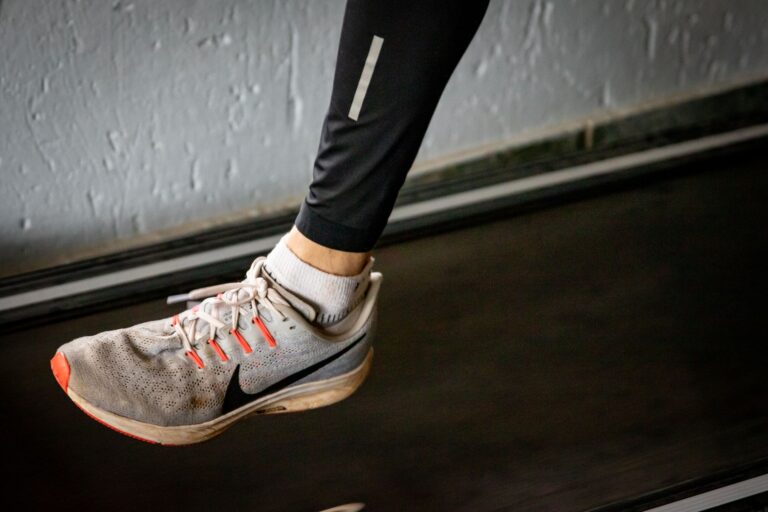
Smartwatches predict your weekly intensity minutes by continuously monitoring your heart rate, motion, and movement patterns throughout the day, then running these signals through algorithms that identify when you’re exercising at high effort levels. The watch measures peaks in heart rate, rapid acceleration, and sustained elevated activity to detect intense exercise—whether you’re sprinting, climbing hills, or doing interval training—and sums these episodes into a weekly total. For example, a runner wearing an Apple Watch might complete three 30-minute runs during the week; the watch flags the periods when heart rate climbs into the vigorous zone (roughly 77% of maximum heart rate or higher) and tallies those minutes, producing a weekly intensity minutes score that represents the cumulative time spent at higher cardiovascular demand.
The core mechanism is straightforward: your smartwatch has a built-in optical heart rate sensor that detects blood flow through your wrist, paired with an accelerometer that measures movement in three dimensions. When these sensors detect the combination of elevated heart rate and sustained motion typical of intense exercise, the watch counts those minutes toward your weekly total. Different brands use slightly different thresholds—Apple Watch uses 77% of maximum heart rate, Garmin uses training zones based on individual fitness data, Fitbit uses a similar heart-rate-based approach—but the principle remains the same across devices. The algorithm doesn’t need you to manually log an activity; it works passively in the background, catching intensity even during unstructured movement like playing with kids or doing yard work.
Table of Contents
- How Do Smartwatch Sensors Measure Exercise Intensity?
- What Makes Smartwatch Intensity Calculations Unreliable?
- How Do Smartwatches Learn Your Personal Intensity Patterns?
- Should You Trust Your Smartwatch Intensity Minutes for Training?
- What Are Common Accuracy Issues With Intensity Minute Predictions?
- How Do Different Smartwatch Brands Compare for Intensity Tracking?
- The Future of Smartwatch Intensity Prediction
- Conclusion
- Frequently Asked Questions
How Do Smartwatch Sensors Measure Exercise Intensity?
Your smartwatch contains at least three sensors working in concert to gauge intensity: an optical heart rate monitor, a motion detector (accelerometer), and often a gyroscope for rotational movement. The optical heart rate sensor uses green LED light that bounces off blood cells in your wrist and measures the returning light many times per second, calculating your pulse. During intense exercise, heart rate climbs rapidly—sometimes within seconds of starting a hard effort—and the watch picks up this spike. The accelerometer detects the rhythm and speed of your arm and wrist movement, which correlates strongly with exercise intensity; a leisurely walk shows different acceleration patterns than a sprint. The algorithm looks for a simultaneous rise in both heart rate and motion intensity.
During a 20-minute run, your heart rate might hover around 140 beats per minute while the accelerometer shows the rhythmic impact of your footstrike. If you slow to a walk for recovery, the heart rate drops and the motion pattern changes, so those minutes don’t count. Compare this to a vigorous gym session where you might do push-ups followed by burpees: heart rate spikes, movement becomes jerky and rapid, and the algorithm flags this as high-intensity work. A limitation here is that stationary intense effort—like heavy weight lifting—may not register as strongly because arm motion is limited, even though cardiovascular demand is real. Smartwatches tend to undercount intensity during strength training compared to endurance activities.

What Makes Smartwatch Intensity Calculations Unreliable?
Optical heart rate sensors struggle in several real-world situations, which directly affects intensity minute accuracy. A loose watch band, dark skin tones, tattoos, or excessive body hair can reduce signal quality; studies show optical sensors are less accurate on darker skin, which means some runners receive artificially low intensity minute counts through no fault of their own. Cold weather also challenges optical sensors—when blood vessels constrict in frigid temperatures, the light signal weakens. A runner doing a winter workout might see 15 intensity minutes recorded when the actual hard work warrants 25. Environmental motion also fools the algorithm.
If you’re cycling uphill with minimal arm movement but high heart rate, the watch might undercount because the accelerometer isn’t detecting vigorous motion. Conversely, waving your arms around in a pool generates motion signals that might falsely elevate intensity detection, even if heart rate stays moderate due to the cooling effect of water. Another significant limitation is that individual heart rate zones vary widely; two runners with the same maximum heart rate might have very different aerobic capabilities, yet both watches use the same threshold percentage. A runner with high fitness might maintain a steady 160 bpm on an easy pace and only hit 180 bpm on hard efforts, while a returning runner hits 160 bpm on hard efforts. The watch can’t distinguish fitness level from effort level without knowing your personal training data, leading to misclassification.
How Do Smartwatches Learn Your Personal Intensity Patterns?
Most modern smartwatches include machine learning features that refine their intensity predictions over time by learning your individual movement signature. When you manually log a workout—especially if you include intensity information or heart rate zone data—you’re feeding the algorithm training examples. If you tell Apple Watch or Garmin that you just completed a hard interval session, the device learns the heart rate and acceleration patterns associated with your maximum effort. After weeks of data, the watch begins to recognize when you’re approaching these intensities even without your input.
Garmin watches are particularly sophisticated here: they sync with their cloud service and can pull in VO2 max estimates based on your GPS data and heart rate recovery patterns. This allows the Garmin algorithm to contextualize intensity; a 145 bpm effort that represents hard work for one person might be easy for another. Apple Watch learns your resting heart rate and uses heart rate variability to estimate fitness trends. For example, a runner who logs three structured workouts per week will have more accurate intensity minute predictions than a runner who wears the watch passively without logging activities. The tradeoff is privacy: sharing your detailed workout and heart rate data with cloud services improves accuracy but requires trusting a company with intimate health information.
Should You Trust Your Smartwatch Intensity Minutes for Training?
Smartwatch intensity minute counts are best used as a directional guide rather than a precise metric. They help you understand whether you’re getting adequate vigorous activity—public health guidelines recommend 150 minutes of moderate intensity or 75 minutes of vigorous intensity per week—but they shouldn’t be the only measure of your training effectiveness. If your watch says you achieved 90 intensity minutes last week, that’s a reasonable indicator you’re hitting the vigorous zone regularly. However, the specific minute count could be off by 20 percent or more depending on the factors discussed above.
For training decisions, couple your watch data with feel and actual effort. If the watch says 50 intensity minutes but you know you did three hard workouts that left you exhausted, the watch is probably undercounting due to sensor limitations. Conversely, if the watch shows 80 intensity minutes but you felt most workouts were moderate, the device might be miscounting recovery runs as intense. The comparison between weeks is more reliable than the absolute number: if last week showed 65 intensity minutes and this week shows 75, you likely did increase your vigorous work, even if both numbers are off by 10-15 percent. A practical workaround is to occasionally log structured workouts manually and review the watch’s data alongside your own notes, which helps calibrate your understanding of what the device is actually measuring.
What Are Common Accuracy Issues With Intensity Minute Predictions?
Heart rate spikes unrelated to exercise cause false positives. A moment of stress, sudden cold water splash, or even caffeine surge can elevate heart rate without corresponding physical intensity. If you’re sitting at your desk and suddenly feel anxious, your watch might detect a 20-beat increase, and if other sensors misinterpret this as motion (perhaps you fidget), the watch could briefly flag this as elevated intensity. These false positives usually amount to just a minute or two, but they accumulate. A warning worth heeding: do not adjust your exercise routine based on small fluctuations in weekly intensity minutes; these single-digit variations are often noise, not real changes in your training load.
Another issue is that some watches overcount low-intensity activity that edges into the vigorous zone. A brisk walk at 3.5 miles per hour might push heart rate to 75 percent of max for some people, technically meeting the vigorous threshold, yet most runners don’t consider a walk intense training. This is why Garmin and Apple Watch introduced the concept of “training effect”—a separate metric that tries to gauge whether the activity actually stressed your aerobic or anaerobic system, not just whether heart rate climbed. Some devices also struggle with outdoor activities in direct sunlight, which can overwhelm the optical sensor with ambient light, temporarily reducing accuracy. Testing shows that smartwatch intensity minute counts correlate with actual vigorous activity (r ≈ 0.7-0.8 in research studies), which is decent but not excellent; the watches capture the general trend but miss details.

How Do Different Smartwatch Brands Compare for Intensity Tracking?
Garmin watches tend to be most sophisticated, particularly the Fenix and Forerunner series, because Garmin has invested heavily in sports watch accuracy and allows detailed heart rate zone customization. If you input your actual lactate threshold heart rate or VO2 max, Garmin uses that data to refine intensity detection. Apple Watch is simpler but surprisingly effective for most runners; its algorithm is proprietary and less transparent, but because Apple has massive device adoption and machine learning resources, the algorithm benefits from millions of data points. Fitbit’s approach is similar to Apple’s—heart-rate-based with some motion input—and is generally reliable for everyday intensity tracking, though less sophisticated than Garmin for endurance athletes.
A specific comparison: three runners wearing different watches during the same hard 5-mile run might see different intensity minute counts. One wearing a Garmin with custom heart rate zones might log 45 minutes; an Apple Watch wearer might see 42 minutes; a Fitbit user might see 38 minutes. These differences reflect different algorithms, zone thresholds, and sensor calibration. For serious training, Garmin’s transparency about zones and customization options is valuable, while for casual runners, Apple Watch’s integration with iPhone and simplicity might be preferable despite slightly less accuracy.
The Future of Smartwatch Intensity Prediction
As smartwatch sensors improve and machine learning algorithms become more sophisticated, intensity prediction will likely become more accurate. New optical sensors can penetrate deeper into tissue and work better across skin tones. Some emerging watches include extra sensors—blood oxygen monitors, electrocardiogram capability—that provide additional context for intensity estimation.
In the coming years, AI algorithms trained on massive datasets of real-world exercise might distinguish vigorous weightlifting from vigorous running based on patterns invisible to human analysis, reducing false negatives for strength training. The bigger shift may be moving away from simple minute counts toward personalized effort zones that account for your unique physiology. Instead of asking whether you hit 75 percent of max heart rate, future watches might ask whether you’re hitting your anaerobic threshold—the point where your body can’t clear lactate fast enough—which is a more meaningful measure of intense effort. Wearables companies are also exploring continuous health monitoring that could add context; if the watch knows your current fitness level, stress, and recovery status through daily metrics, it could adjust intensity thresholds dynamically, making predictions more relevant to your actual training needs.
Conclusion
Smartwatches predict weekly intensity minutes by combining heart rate, motion, and algorithmic analysis to identify when you’re exercising at high effort levels, and these predictions are useful for understanding whether you’re meeting vigorous activity guidelines. The technology is fundamentally sound but imperfect; expect a margin of error of 15-25 percent depending on watch brand, fit, skin tone, and activity type. These numbers are most valuable as a trend indicator—whether you’re increasing or decreasing vigorous activity week to week—rather than as a precise training metric.
To get the most from your smartwatch intensity data, complement the watch’s numbers with your own sense of effort, log structured workouts when possible to help the algorithm learn your patterns, and remember that the absence of intensity minutes doesn’t mean you didn’t work hard. Some of the most effective training—steady endurance work, tempo runs, and strength training—might register as moderate intensity or might not register at all, depending on your watch’s capabilities. Use your smartwatch as one piece of the training puzzle, not the whole picture.
Frequently Asked Questions
Is 75 minutes of smartwatch-tracked vigorous activity per week really enough?
Public health guidelines recommend 75 minutes of vigorous-intensity aerobic activity per week, and smartwatch data can help you verify you’re meeting that target. However, the specific minute count from your watch might be off by 20 percent or more, so hitting 75 minutes on your watch is a good sign, but not a guarantee. Consider pairing this metric with how you feel and perceived exertion.
Why does my smartwatch show zero intensity minutes some weeks despite running regularly?
If you’re running easy or moderate paces only, the watch won’t register these as vigorous intensity. Intensity minutes specifically count time spent at high cardiovascular demand, typically above 77 percent of max heart rate for Apple Watch or within defined vigorous zones for other brands. You could run 40 miles per week and see few intensity minutes if all runs are recovery or base-building paces.
Can smartwatches accurately count intensity minutes during swimming?
Most optical heart rate sensors struggle in water because water interfaces with the light-based detection. Some newer Garmin and Apple Watches have improved water resistance and may capture some data, but accuracy drops significantly compared to land-based activities. For swimming, manual workout logging or specialized sports watches with better water-resistant sensors are more reliable.
Should I change my training if my smartwatch intensity minutes dropped this week?
A single week’s change in intensity minutes is often noise unless the shift is dramatic (more than 30 percent). Week-to-week variation from sensor error, fit issues, or minor intensity adjustments is normal. Look at four-week trends instead. If intensity minutes drop steadily over a month while you intended to maintain hard training, investigate whether the watch is fitting properly or whether you’re actually doing fewer hard efforts.
Do different smartwatches give different intensity minute counts for the same workout?
Yes, significantly different counts are possible. Different brands use different heart rate thresholds, sensor sensitivity, and algorithms. Testing shows variances of 10-30 percent between devices are common. Choose one watch for consistency rather than comparing intensity minutes across devices.
Can I improve my smartwatch’s accuracy?
Yes. Ensure the watch band fits snugly, update the device software, manually log structured workouts to train the algorithm, and if your watch allows it, enter your personal heart rate zones based on testing. Avoid wrist tattoos directly under the heart rate sensor. If you have darker skin, be aware that some optical sensors have documented accuracy gaps and consider researching individual brand performance on darker skin before purchasing.