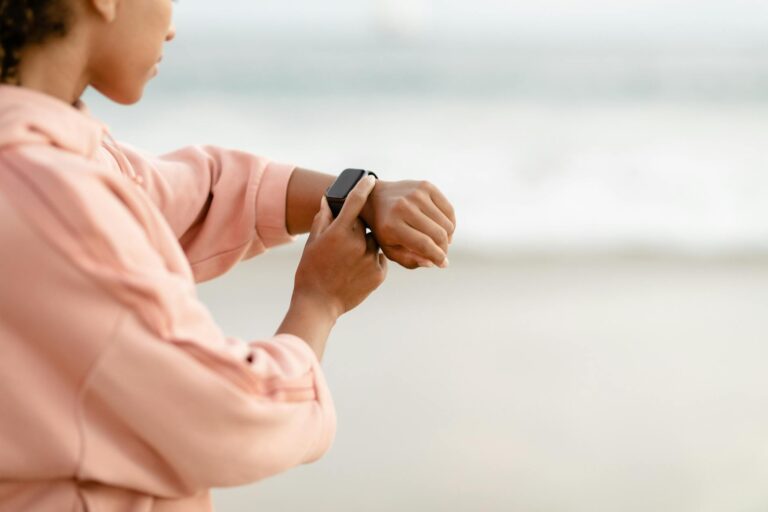
Yes, timing does matter for intensity minutes accuracy, though perhaps not in the way you might think. When your fitness tracker records intensity minutes, it’s measuring elevated heart rate zones in real time, which means the precise moment you exercise, how you pace it, and how recovered you are all influence whether your device correctly counts those minutes. A runner who completes a 20-minute fast interval session at 6 a.m. when well-rested might see all 20 minutes logged accurately, while the same workout compressed into a crowded lunch break with elevated baseline stress might yield only 15 logged minutes—same effort, different count.
The accuracy issue stems from how devices define intensity minutes: they typically count time spent in elevated heart rate zones (usually 50-85% of max heart rate for “moderate” intensity and above 85% for “vigorous”). The timing matters because your baseline heart rate fluctuates throughout the day based on sleep quality, caffeine intake, stress levels, and previous activity. A workout performed when your resting heart rate is already elevated will require a higher absolute heart rate to register as “intense,” potentially causing your tracker to undercount. Understanding this timing factor is essential if you’re using intensity minutes to track training progress, validate workout quality, or meet health recommendations. The numbers on your device tell only part of the story, and knowing when and how timing skews those numbers helps you interpret what your tracker is actually measuring.
Table of Contents
- How Does Daily Timing Affect Intensity Minute Detection?
- The Recovery and Baseline Heart Rate Problem
- Pre-Workout Timing and Caffeine’s Effect on Heart Rate
- Distributed vs. Consecutive Activity and Timing Accuracy
- The Circadian Rhythm and Device Calibration Timing Issues
- Device-Specific Timing Quirks in Intensity Logging
- The Future of Context-Aware Intensity Tracking
- Conclusion
- Frequently Asked Questions
How Does Daily Timing Affect Intensity Minute Detection?
your fitness tracker doesn’t know the difference between 6 a.m. and 6 p.m.—but your body does. In the morning, especially after a night of sleep, your resting heart rate is typically lower, which means your cardiovascular system needs less elevation to register as “intense” activity. An easy 10-minute jog at dawn might push you genuinely into moderate intensity zones. That same jog in the evening, when you’ve had caffeine, stress, and accumulated activity throughout the day, might barely register because your baseline is already elevated. The practical consequence: a 45-minute steady-state run performed at 8 a.m.
might yield 30 logged intensity minutes, while the identical run at 5 p.m. might only log 20 minutes. This isn’t a malfunction—it’s the device faithfully measuring the *additional* cardiovascular demand above your current state. Your body did the same work either way, but the count differs based on timing. Temperature and environmental timing also play a subtle role. Morning runs in cool conditions allow your heart rate to stay lower for the same effort compared to afternoon heat, which means you’re more likely to hit intensity thresholds in the morning. A runner in a hot climate might find that identical workouts yield 15-20% fewer logged intensity minutes in summer afternoons versus early morning sessions.
The Recovery and Baseline Heart Rate Problem
one of the biggest sources of timing-related inaccuracy is that fitness trackers have no context about your recovery status or recent activity. If you logged 15 minutes of vigorous activity at 3 p.m., your heart rate might still be slightly elevated at 4 p.m. when you do a light 20-minute run. Your tracker might count only 8-10 of those minutes as intense because it’s measuring against an elevated baseline, not recognizing that you’re actually in a recovery phase and shouldn’t be in true high-intensity zones anyway.
The limitation here is that trackers assume a fixed “resting heart rate” throughout the day, but that’s not how human physiology works. Chronic sleep deprivation, overtraining, or even pending illness can elevate your baseline heart rate by 5-10 bpm, causing your device to undercount intensity minutes in a way that actually misrepresents your training load. You might feel like you’re working hard and logging those minutes, but your watch shows less than expected because it’s measuring from a higher starting point. This becomes particularly problematic if you’re using intensity minutes as a training metric to guide decisions. If your actual workouts are harder than your logged intensity suggests, you might overtrain thinking you need more stimulus, or you might miss signs of overtraining because the numbers look moderate when they’re not.
Pre-Workout Timing and Caffeine’s Effect on Heart Rate
Caffeine creates a concrete timing challenge for intensity minute accuracy. Consume 200 mg of caffeine at 7 a.m., and your resting heart rate might be 8-12 bpm higher than baseline from 7 a.m. through 1 p.m. A runner who has coffee 30 minutes before a workout will record that workout at an elevated baseline, potentially losing 5-15 intensity minutes compared to doing the same workout fasted or without recent caffeine. Real-world example: a runner who typically logs 25 vigorous minutes from a 30-minute tempo run does that run at 8 a.m. without coffee and sees all 30 minutes logged.
The same runner, doing the same workout at 10 a.m. after morning coffee and a meal, might see only 22-24 logged minutes because their resting heart rate is 8 bpm higher and their digestive system is engaged (which itself slightly elevates heart rate). Neither data point is “wrong,” but they represent fundamentally different physiological starting points. Meal timing adds another layer. A workout within 90 minutes of eating triggers digestive heart rate elevation, adding 3-5 bpm to your baseline. Over a month of training, this means your fasted morning runs will almost always show higher logged intensity minutes than post-meal afternoon runs, even if the effort is identical. This timing factor matters most for athletes comparing weekly intensity minutes across varied schedules.

Distributed vs. Consecutive Activity and Timing Accuracy
How you distribute intensity minutes throughout the day affects logging differently than most runners expect. A common assumption is that two 15-minute intense efforts separated by a 20-minute recovery walk should each log similarly to a continuous 30-minute workout. In practice, timing and recovery state mean the second 15-minute effort often logs fewer minutes than the first, even with identical pacing. After your first 15-minute hard interval, your heart rate remains elevated for 8-15 minutes depending on fitness level.
If you start your second interval before complete recovery, your baseline is higher, requiring more absolute heart rate elevation to register as intense. A runner might get 12 logged minutes from interval 1, a 20-minute active recovery walk, then only 10 logged minutes from interval 2—total 22 minutes instead of the expected 24+, despite identical effort. The practical tradeoff: consecutive intensity work (back-to-back intervals) might yield fewer logged minutes than separated intensity sessions because you’re not resetting your baseline. This timing effect is small per workout but accumulates across a training week. A runner doing three separate high-intensity sessions spaced 4+ hours apart will typically log 5-10% more total intensity minutes than one doing the same three sessions within a 2-hour window, all else equal.
The Circadian Rhythm and Device Calibration Timing Issues
Your body’s circadian rhythm affects heart rate patterns, and most fitness trackers don’t account for this timing factor. Heart rate naturally dips around 2-4 a.m. and rises in late afternoon (3-6 p.m.), independent of activity. If your device learned your baseline during early morning hours, it might overcount intensity minutes during afternoon workouts when your circadian rhythm is already elevating heart rate. Conversely, if calibrated during afternoon peaks, it might undercount evening sessions.
A significant warning: many trackers perform automatic baseline calibration during their first week of use. If that week includes unusual stress, illness, or atypical sleep, the device learns an artificially high resting heart rate and will undercount intensity minutes for months afterward. A runner who starts using a new watch during a high-stress work period might find that even months later, after stress normalizes, their logged intensity minutes remain artificially low because the device learned from stress-elevated baselines. This is particularly limiting if you travel across time zones. Your body’s circadian rhythm doesn’t instantly adjust, creating 5-7 days of baseline heart rate inconsistency that your tracker can’t distinguish from actual deconditioning or acclimatization effects.

Device-Specific Timing Quirks in Intensity Logging
Different devices handle timing-based intensity minute detection differently, which matters if you’re comparing data across brands or troubleshooting unexpected counts. Garmin devices apply a rolling average of recent heart rate to set intensity thresholds, making them more forgiving of temporary spikes and often more generous in logging intensity minutes. Apple Watch uses instantaneous heart rate thresholds, which can be stricter and more prone to undercounting if you have heart rate variability during workouts.
The practical example: two runners wearing different brands do identical 30-minute tempo runs. One logs 28 intensity minutes (Garmin-style averaging smooths out minor dips), while the other logs 23 (Apple-style instantaneous thresholds penalize brief heart rate drops). Same run, same effort, different counts. Understanding your device’s timing logic helps you stop assuming the numbers are gospel.
The Future of Context-Aware Intensity Tracking
Current fitness trackers measure intensity minutes as a snapshot—heart rate at specific moments. Future generations are moving toward context-aware timing models that consider sleep quality, stress levels, previous activity, and even meal timing when assigning intensity minute values. Devices that track HRV (heart rate variability) are already beginning to adjust baseline thresholds based on whether your autonomic nervous system suggests you’re recovered or fatigued.
This evolution matters because it acknowledges what experienced runners already know: two identical workouts at different times, in different recovery states, are not physiologically identical. As trackers become smarter about timing context, intensity minute data will better reflect true training load and physiological stimulus rather than just raw heart rate elevations. For now, runners must interpret timing effects manually.
Conclusion
Timing absolutely affects intensity minutes accuracy, primarily through baseline heart rate fluctuations driven by circadian rhythm, caffeine, stress, sleep quality, and recent activity. A workout’s logged intensity minutes depend not just on effort, but on when you do it and what physiological state you’re in when you start.
This isn’t a flaw in the measurement—it’s a reflection of real physiological variation—but it does mean intensity minute numbers should be interpreted as part of a pattern, not as absolute truth. To get reliable intensity minute data, track workouts consistently at similar times of day, maintain stable sleep and caffeine timing, allow adequate recovery between hard efforts, and remember that two identical runs can log differently based on timing. The numbers remain useful for pattern recognition across weeks and months, but understanding the timing factors behind daily variation makes you a smarter interpreter of what your tracker actually measures.
Frequently Asked Questions
Why do identical workouts sometimes log different intensity minutes?
Your resting heart rate changes throughout the day based on sleep, caffeine, stress, and recent activity. Intensity minutes measure elevation above your current baseline, so the same effort produces different counts depending on timing and your physiological state.
Does morning exercise always log more intensity minutes than evening?
Generally yes, because morning resting heart rate is typically lower. But recent caffeine, poor sleep, or stress can reverse this. The key variable is your baseline heart rate at start time, not the clock time itself.
Can I improve my logged intensity minutes by changing when I exercise?
Yes, but this reflects measurement artifacts, not actual fitness improvement. Moving a workout to early morning or fasted state will likely increase logged minutes without changing your body’s actual work. If you’re exercising to improve fitness, focus on effort and progression rather than logged minute counts.
How much do circadian rhythms affect intensity minute accuracy?
Natural circadian peaks in afternoon (typically 3-6 p.m.) can increase baseline heart rate by 3-8 bpm compared to early morning. This translates to 5-15% fewer logged intensity minutes in evening workouts compared to morning, all else equal.
Should I adjust training based on intensity minute logs if they seem inconsistent?
Not directly. Use intensity minutes as a pattern metric across weeks rather than a workout-to-workout comparison. If you see declining logged minutes over weeks while effort stays constant, that might indicate improved fitness (harder work needed to elevate heart rate). But single-workout counts are too influenced by timing factors to trust in isolation.