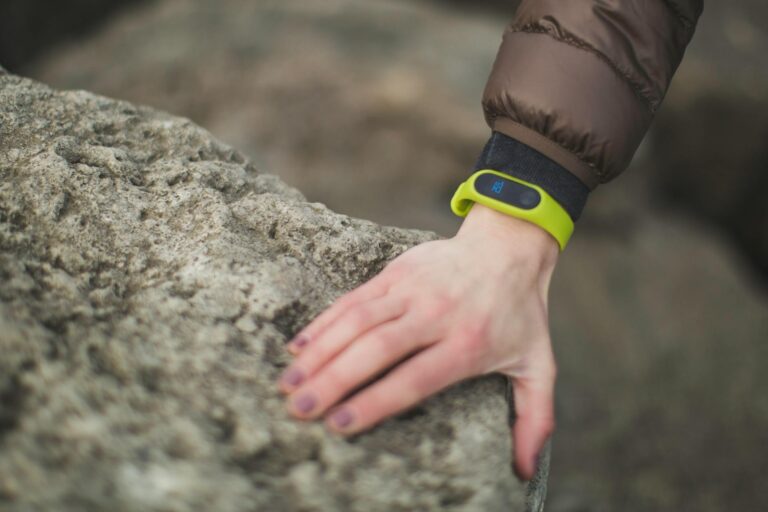
Your watch shows 0 intensity minutes even though you’ve been moving for the last 30 minutes. You’re frustrated. You did something physical, yet your fitness tracker counted it as nothing. The reason is straightforward: your watch is measuring intensity by heart rate elevation, not activity volume. Unless your heart rate rose to a threshold specific to your watch and your fitness level—typically 50–85% of your maximum heart rate for moderate intensity—the algorithm won’t register those minutes. This is why a leisurely walk registers as 0 intensity minutes, while an actual run does.
Intensity minutes are based on zone-based heart rate targets, not the amount of effort you *feel* you’re exerting. A 68-year-old walking at 3 mph might hit their intensity threshold while a 35-year-old jogging at the same speed doesn’t. The algorithm doesn’t care about distance covered or calories burned in isolation; it cares about cardiovascular demand. If your heart rate stays below the device’s threshold for your age and fitness level, zero minutes get logged, regardless of how winded you feel. This gap between your perception of effort and what the device records is one of the most common frustrations in fitness tracking. Understanding why it happens, and what you can actually do about it, changes how you use—and trust—your watch’s metrics.
Table of Contents
- How Does Your Watch Measure Intensity?
- The Algorithm’s Built-in Limitations
- How Resting Heart Rate Affects Your Zones
- How Fitness Level Shapes Your Results
- Sensor Accuracy and Optical Heart Rate Limitations
- The Watch’s View of Walking Versus Running
- The Future of Wearable Intensity Metrics
- Conclusion
How Does Your Watch Measure Intensity?
Your watch determines intensity minutes by tracking your heart rate against age-predicted zones. Most devices use algorithms based on resting heart rate and maximum heart rate to establish these zones. Garmin, Apple Watch, Fitbit, and Polar each have slightly different calculations, but the principle is identical: they compare your current heart rate to a target zone and only count time spent above a certain percentage as “intensity.” For example, if your watch calculates that moderate intensity starts at 110 bpm for you, and you go for a walk that keeps your heart rate between 95 and 105 bpm, you’ll see 0 intensity minutes even if you walked for an hour. The device didn’t make an error—it’s working exactly as designed. It’s measuring cardiovascular intensity, which is what the science actually supports as a health marker.
The American Heart Association recommends 150 minutes of moderate-intensity aerobic activity per week, and that’s specifically about heart rate elevation, not walking duration. The device also accounts for your individual fitness level. If you’re a long-distance runner, your heart rate during a slow jog will be lower than someone training for their first 5K. This is why comparing intensity minutes between people wearing the same watch model doesn’t mean much. A high level of aerobic fitness naturally produces lower heart rates at any given pace, which can paradoxically result in fewer intensity minutes for fitter individuals doing the same activity as less-fit people.
The Algorithm’s Built-in Limitations
One major limitation of this approach is that watches can’t measure intensity through other markers like power output, perceived exertion, or lactate threshold. They’re locked into heart rate data, which can be noisy and influenced by variables the algorithm can’t account for. If you’re stressed, dehydrated, or in a hot environment, your heart rate spikes without any actual increase in workout intensity. Conversely, if you’re very fit or taking beta-blockers for blood pressure, your heart rate might stay suspiciously low even during hard efforts. The watch will record your stress-driven heart rate spike as legit intensity, and ignore your hard threshold workout. Another limitation is that threshold sports—swimming, cycling, or strength training—often produce different heart rate responses than running or walking, yet watches apply the same intensity zones to all activities.
Swimming, in particular, triggers a lower heart rate for the same perceived effort because of the horizontal body position and water immersion. A swimmer might be working at 85% of their capacity but see a heart rate that the algorithm thinks is only 60% intensity. This is why many swimmers report suspiciously low intensity minutes compared to runners of the same fitness level. The device also cannot distinguish between *good* intensity and *wasted* intensity. Thirty minutes of interval training—short bursts of hard effort—will register as fewer intensity minutes than 30 minutes of steady moderate effort, even though the interval training provides greater cardiovascular adaptation and metabolic benefit. Your watch is counting minutes in a zone, not quantifying the stimulus you’re providing your body.
How Resting Heart Rate Affects Your Zones
Your watch likely uses resting heart rate as a calibration point for intensity zones. If your actual resting heart rate is lower than what the algorithm assumes, your intensity thresholds will be pushed lower too, and you’ll rack up more intensity minutes. If your resting heart rate is higher than the device thinks it should be, your zones shift upward, and you’ll see fewer intensity minutes for the same pace. Many people never enter their actual resting heart rate into their watch, or the watch’s auto-detection is off by 5–10 bpm. That single error cascades through the entire intensity calculation. A person with a true resting rate of 55 bpm will have completely different zones than someone with a resting rate of 68 bpm, even if they’re the same age and fitness level.
For real-world example: Runner A has a genuine resting heart rate of 50 bpm and runs at a steady 140 bpm. Runner B has a resting rate of 65 bpm and also runs at 140 bpm. The watch might classify Runner A’s 140 bpm as moderate intensity and Runner B’s 140 bpm as only light intensity, purely because of the resting rate difference. You can manually check your resting heart rate by measuring your pulse for a full minute first thing in the morning, before you get out of bed. Do this for three days and average the results. Then enter it into your watch’s settings. This is one of the easiest fixes for intensity minute anomalies, yet few people do it.
How Fitness Level Shapes Your Results
As you get fitter, your heart rate at any given pace naturally decreases. This is adaptation—your heart becomes more efficient. But it’s a paradox for fitness trackers: the fitter you get, the fewer intensity minutes you may record, because your heart rate stays lower at easier paces. A runner who improves from a 10-minute-mile pace to an 8-minute-mile pace will see their resting heart rate drop and their heart rate during easy runs decrease. That’s progress. But their watch might show fewer intensity minutes on easy runs, not more. This is why intensity minutes work better as a metric for people building fitness from a low baseline than for people already maintaining a high fitness level.
If you’re in the early phases of a fitness program, intensity minutes are a useful signal. You’ll see them climb as your aerobic base develops and you can sustain higher effort. But once you’re fit, the metric becomes less useful. Experienced runners and cyclists often ignore intensity minutes entirely and focus on pace, power, or perceived effort instead. The tradeoff is that your watch *does* recognize when you do a genuinely hard workout. An interval session or a tempo run will still generate intensity minutes, because you’re pushing your heart rate significantly above your normal range, even if that range is lower than someone less fit. The gain here is that the metric becomes more meaningful: fewer but better-quality intensity minutes might actually represent better training than high volume of intensity minutes.
Sensor Accuracy and Optical Heart Rate Limitations
Most modern watches use optical heart rate sensors on the wrist, and these sensors have known limitations in certain conditions. If you have darker skin tones, the optical sensor is more likely to have accuracy issues due to how infrared light interacts with skin pigmentation. If your wrist tattoos cover the sensor area, the watch will struggle to get a clean reading. Loose or wet watches, cold fingers, or high motion (like the arm swinging hard during sprinting) can all degrade signal quality. A watch with an inaccurate heart rate reading will also report inaccurate intensity minutes. Some people discover that wrist-based sensors consistently underestimate their heart rate by 10–15 bpm compared to a chest strap monitor.
That’s not user error; it’s a limitation of the technology. A 10 bpm underestimation could mean the difference between hitting your intensity threshold and missing it entirely. If you have a history of suspicious intensity minute counts, a chest strap or armband monitor can help you verify whether the issue is your fitness level or your device’s sensor accuracy. Another warning: watches often struggle with the resting period immediately after intense exercise. Your heart rate stays elevated for minutes or even tens of minutes post-workout depending on intensity. Some watches will continue logging intensity minutes even as you’re cooling down and recovering, inflating your total. This isn’t necessarily wrong—you’re still in an elevated state—but it can create confusion about when intensity actually ended.
The Watch’s View of Walking Versus Running
Walking and running are two different animal physiologically. At the same pace, walking demands significantly lower heart rate than running. This is why walkers often see 0 intensity minutes even during brisk, intentional walks. A 65-year-old doing a 3.5 mph power walk might be working hard and burning calories, but if their intensity threshold is set at 115 bpm and they top out at 108 bpm, the watch records nothing.
The device isn’t wrong to distinguish between them. Walking, even brisk walking, doesn’t elevate heart rate as much as running does. But it creates a real gap for people whose primary activity is walking. If you’re a dedicated walker, you have options: do intervals of fast and slow walking to push your heart rate into the intensity zone, use trekking poles to engage more muscle mass and drive up heart rate, or accept that your watch wasn’t designed with walkers’ physiology in mind. Some people switch to measuring “active minutes” instead, which counts moderate movement regardless of heart rate, or they use a different metric entirely like step count or daily activity.
The Future of Wearable Intensity Metrics
The fitness tracker industry is slowly moving beyond simple heart rate zones. Some newer watches now track training load, which considers not just heart rate but also variability and recovery. Others are integrating power meters for cyclists or pace-based metrics for runners, giving a more complete picture than heart rate alone. Apple Watch added a metric called “Workload,” which factors in recent history and fatigue. These additions still rely partly on heart rate, but they’re acknowledgments that heart rate zones have limits.
The broader trend is personalization. Instead of age-predicted zones, watches are starting to use your individual data—your lactate threshold, your VO2 max estimates, your recent training history—to set more accurate intensity boundaries. This should, theoretically, make zero intensity minute problems less common. But the core limitation remains: to measure intensity accurately without a power meter or lab test, devices need either a very good heart rate sensor or permission to use more invasive measures like skin temperature, breathing rate, or muscle electrical activity. Most consumer watches won’t go that far in the near term.
Conclusion
Your watch says 0 intensity minutes because its algorithm is measuring heart rate elevation, not effort, distance, or calories. It’s working as designed, but that design has real limitations: it doesn’t account for individual differences in fitness level, sensor accuracy, or the physiology of lower-intensity activities like walking. Understanding these constraints helps you interpret your watch’s metrics more realistically and decide whether they’re useful for your goals.
If you’re frustrated with low intensity minute counts, start with the basics: verify your resting heart rate, check your device’s sensor placement and cleanliness, and consider the intensity threshold for your actual fitness level. If you’re a walker or swimmer, accept that your watch might underestimate your work and supplement with other metrics like step count, time in zone, or perceived exertion. The watch is a tool, not an oracle, and it’s doing something useful even when the intensity minute count seems wrong.