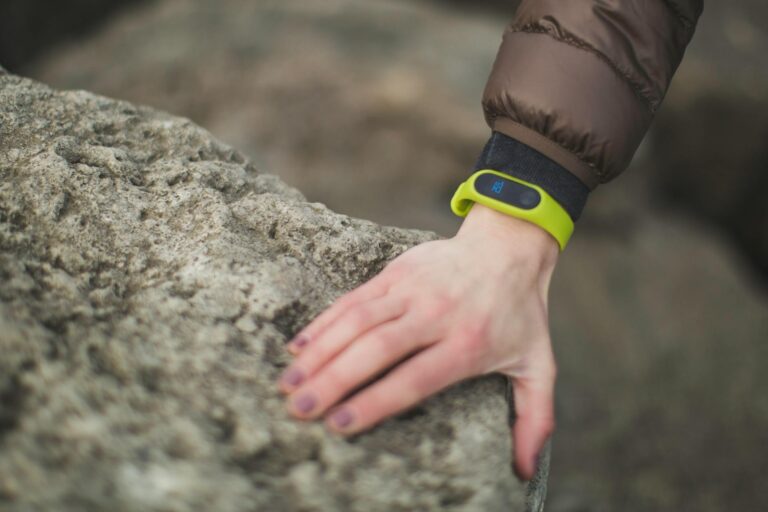
Intensity minutes are any minute of activity where your heart rate reaches at least 50% of your maximum heart rate reserve, which typically corresponds to roughly 70% of your maximum heart rate. The most common definition comes from Apple Watch and similar fitness trackers: sustained activity that elevates your heart rate to a vigorous zone. If you’re running at a pace where you can barely speak in full sentences—usually around 6-7 mph for most runners—you’re accruing intensity minutes.
For example, a 30-minute run at 7 mph generally counts as 30 intensity minutes, while a leisurely 3 mph walk counts as zero, even if you’re working hard. Different devices and health apps define this slightly differently, but the core principle remains: intensity minutes measure cardiovascular exertion, not just movement or calorie burn. Your Apple Watch, Fitbit, Garmin, and Oura Ring all track this metric because it directly correlates with heart health improvements and longevity. Most health guidelines recommend 150 minutes of moderate-intensity activity per week, which directly translates to intensity minutes.
Table of Contents
- How Do Devices Measure Intensity Minutes in Real Running Scenarios?
- Intensity Minutes vs. Total Exercise Time—Why the Difference Matters
- Real-Life Examples of Activities That Count as Intensity Minutes
- How to Intentionally Maximize Your Intensity Minutes
- Why Your Device Might Not Be Giving You Credit for Effort You’re Putting In
- Sports and Activities Commonly Misunderstood
- The Future of Intensity Minutes and Fitness Tracking
- Conclusion
- Frequently Asked Questions
How Do Devices Measure Intensity Minutes in Real Running Scenarios?
Your wearable measures intensity by constantly monitoring your heart rate and comparing it against your personal maximum heart rate (which is usually calculated as 220 minus your age, though individual variation exists). When your heart rate stays above the threshold for a full minute, that counts as one intensity minute. The precision matters here: if your heart rate dips below the threshold for 30 seconds during a run, many devices will still count that minute, but if you slow down and drop below the threshold for the entire minute, that minute doesn’t count. A concrete example: you start a run with a 10-minute warm-up jog at 5 mph, where your heart rate sits at about 120 bpm. This probably doesn’t count as intensity minutes on most trackers, which set the threshold around 130-140 bpm for a typical adult. Then you kick into a 7 mph pace for 20 minutes, pushing your heart rate to 160 bpm.
Those 20 minutes absolutely count. You cool down with another 5 minutes at 4 mph, and that cooldown won’t count either. The result: a 35-minute run nets roughly 20 intensity minutes. The limitation here is that devices struggle with high-intensity interval training (HIIT). If you’re doing 30 seconds of sprinting followed by 30 seconds of walking, the device might miss some intervals if your recovery heart rate drops too quickly. Some trackers like Garmin handle this better than Apple Watch, which can be overly conservative.
Intensity Minutes vs. Total Exercise Time—Why the Difference Matters
Many runners get frustrated because their one-hour “easy run” might only register 35-45 intensity minutes, not 60. This happens because intensity minutes measure cardiovascular stress, not time investment. A 60-minute easy pace run (around 5-5.5 mph) keeps your heart rate in the moderate zone but might not consistently hit the intensity threshold. That run still provides aerobic benefits, but health guidelines specifically recommend 150 minutes of moderate-intensity activity, meaning you need to sustain higher intensity. The real-world implication is that you can’t rack up intensity minutes by simply logging hours. A two-hour mall walk might register zero intensity minutes, while a focused 30-minute hill workout might give you 30 intensity minutes.
This can feel demotivating until you understand that the metric’s strictness serves a purpose—it ensures you’re actually getting cardiovascular adaptation rather than just moving your body. One critical warning: intensity minute calculations vary wildly between devices. The same run might show as 25 intensity minutes on your Apple Watch and 35 on your Garmin. This happens because they use different heart rate formulas and different threshold settings. If you’re tracking progress, stick with one device. Switching devices mid-year makes year-over-year comparisons meaningless.
Real-Life Examples of Activities That Count as Intensity Minutes
Running at 6.5 mph or faster almost always counts. A half-mile sprint at 10 mph will definitely register. Cycling at 14-16 mph in moderate terrain typically counts. Swimming at a competitive pace counts. even rowing counts if you maintain sufficient effort. However, casual cycling at 8 mph usually doesn’t. Walking at 3.5 mph, no matter how long, almost never counts.
High-intensity interval training is the wild card. A 20-minute session of alternating 30 seconds of maximum effort with 90 seconds of recovery might register as 10-15 intensity minutes, depending on your device and how quickly your heart rate recovers. If you recover very quickly (a sign of fitness), you might miss intensity minute credit during recovery periods. Conversely, if your recovery heart rate stays elevated, those recovery periods might accidentally count. Sports with variable intensity are tricky. Tennis and basketball sessions count partially—maybe 40 minutes of play nets 20-25 intensity minutes because of stoppages and lower-intensity periods. Hiking is almost never pure intensity minutes, even uphill, because most trackers don’t register intensity without elevated heart rate, and many recreational hikes don’t maintain sufficient elevation of heart rate.

How to Intentionally Maximize Your Intensity Minutes
If your goal is meeting the 150-minute weekly target, tempo runs and threshold workouts are your most efficient path. A 30-minute tempo run—where you hold a pace that feels “comfortably uncomfortable” for the majority—typically counts as 28-30 intensity minutes with minimal waste. Compare this to an easy run where only 50% of your time counts, and the efficiency is obvious. Interval training offers another approach. Four rounds of 3-minute hard efforts at 8+ mph, with 2-minute recovery jogs, might take 20 minutes total but register as 12 intensity minutes.
You’re not getting as many intensity minutes per unit of time as a steady tempo run, but you’re building different fitness qualities. The tradeoff is mental energy: tempo runs feel monotonous to many runners, while intervals feel more engaging despite being shorter. For non-runners, steady-state cycling at effort and rowing machine intervals provide excellent intensity minute accumulation. Swimming offers the efficiency of running without the impact. A 30-minute pool session where you maintain a strong pace nets approximately 28-30 intensity minutes. The limitation is that many swimmers recover more slowly than runners due to water’s cooling effect and body position, so devices sometimes overestimate intensity minutes in swimming.
Why Your Device Might Not Be Giving You Credit for Effort You’re Putting In
One common frustration: you’re working hard, your lungs are burning, and your wearable isn’t crediting intensity minutes. This usually means your heart rate simply isn’t elevated enough according to the device’s calculation. The issue might be that you’ve set your maximum heart rate incorrectly. If your watch thinks your max is 180 bpm but your actual max is 200 bpm, the intensity threshold is set too low, and everything counts as intensity. If the opposite is true, nothing counts. Another culprit is workout mode selection. If you start a “walking” workout instead of “running” or “other cardio,” some devices apply different algorithms and might never award intensity minutes.
You can be sprinting, but if the tracker thinks you’re walking, it won’t count. Similarly, outdoor vs. gym modes sometimes calculate differently because of GPS smoothing and acceleration data. A third warning: some devices need recalibration over seasons. If you’ve become significantly fitter, your resting heart rate and heart rate reserve have probably changed. Many devices default to auto-updating this, but if yours doesn’t, you’re stuck with outdated thresholds. A runner whose resting heart rate was 60 bpm last year but is now 52 bpm might need to manually adjust their settings to reflect improved fitness.
Sports and Activities Commonly Misunderstood
Pickleball and recreational volleyball rarely produce intensity minutes because the stop-start nature keeps your heart rate from sustaining above the threshold. Even though you might be running hard on individual points, the breaks reset your exertion. Competitive games where you’re constantly moving (advanced volleyball or court sports) might register, but typical recreational play doesn’t.
CrossFit and metabolic conditioning workouts are surprisingly hit-or-miss. A benchmark workout with continuous movement should count. An AMRAP (as many rounds as possible) with 15 minutes of structured movement often registers 12-15 intensity minutes. The limitation is that strength-based workouts with long rest periods (heavy barbell training) almost never produce intensity minutes, even though they’re physically demanding.
The Future of Intensity Minutes and Fitness Tracking
As wearable technology improves, intensity minute calculations are becoming more sophisticated. Some newer devices incorporate blood oxygen levels, skin temperature, and muscular effort into their algorithms, moving beyond simple heart rate thresholds. These refinements might capture more nuance about actual exertion, though they’ll probably take years to standardize.
What’s becoming clear is that intensity minutes, while useful, are just one metric. A runner might accumulate 150 intensity minutes weekly through easy running but miss the high-intensity workouts that actually drive aerobic improvement. Conversely, someone might rack up 200 intensity minutes through inefficient training patterns. The metric’s value lies in accountability and ensuring you’re doing cardiovascular work, not in fine-tuning training itself.
Conclusion
Intensity minutes count any sustained minute where your heart rate reaches approximately 70% of your maximum—a threshold that corresponds to moderate-to-vigorous activity on most fitness trackers. Real-world examples range from running at 6.5+ mph, to vigorous cycling, to swimming hard, with high variability depending on your device, your fitness level, and your individual heart rate response.
The key is understanding that your device’s calculation is a proxy for cardiovascular exertion, not a perfect measurement. If you’re tracking toward the recommended 150 intensity minutes per week, focus on tempo runs and threshold work for efficiency, but remember that other types of training—easy runs, strength work, and technique sessions—also matter for overall fitness. Check your device settings, ensure your maximum heart rate is accurate, and use intensity minutes as one feedback signal among many, not as the sole measure of your training quality.
Frequently Asked Questions
Can you get intensity minutes from walking?
Brisk walking at 4+ mph might start registering intensity minutes, but recreational walking at 3-3.5 mph almost never counts. You’d need to walk at a pace that genuinely elevates your heart rate to 70% of maximum.
Why does my run show fewer intensity minutes than my run time?
This usually means your warm-up and cool-down periods aren’t sustaining the intensity threshold. Easy-paced sections drop below the threshold even if you’re still working.
Do different devices count intensity minutes the same way?
No. Apple Watch, Fitbit, and Garmin use different algorithms and heart rate thresholds. Switching devices mid-training makes comparisons unreliable.
How do I know if my maximum heart rate is correct?
The formula 220 minus your age is often inaccurate. Consider a max heart rate test or check if your device can auto-detect max heart rate through tracking. Some people’s actual max is 10-20 bpm different from the formula.
Does indoor vs. outdoor running affect intensity minute counting?
Generally no, since most modern devices use heart rate, not GPS. However, treadmill mode might apply different algorithms on some watches, so consistency matters.
Can you lose intensity minutes you’ve already earned?
No, but the data resets by week or month depending on your device. Weekly progress tracking means your earned intensity minutes matter only for that seven-day period.